Most OPD waiting rooms are not slow because consultations take too long. They are slow because nobody can see the order. Patients stand near the door to hold their place, a returning patient is registered from scratch because nobody can find them, and the doctor spends the first two minutes of every consultation asking what a nurse could have recorded outside.
This guide walks through an OPD visit as the software sees it — booking, arrival, the queue, the consultation, and what it leaves behind.
The flow, end to end
One OPD visit
Book or walk in
Token issued per doctor
Check in
Patient joins the worklist
Vitals
Nurse records before the doctor
Consultation
Complaint, diagnosis, prescription
Bill & pharmacy
Same patient, same bill
Step 1 — Finding the patient, or registering them once
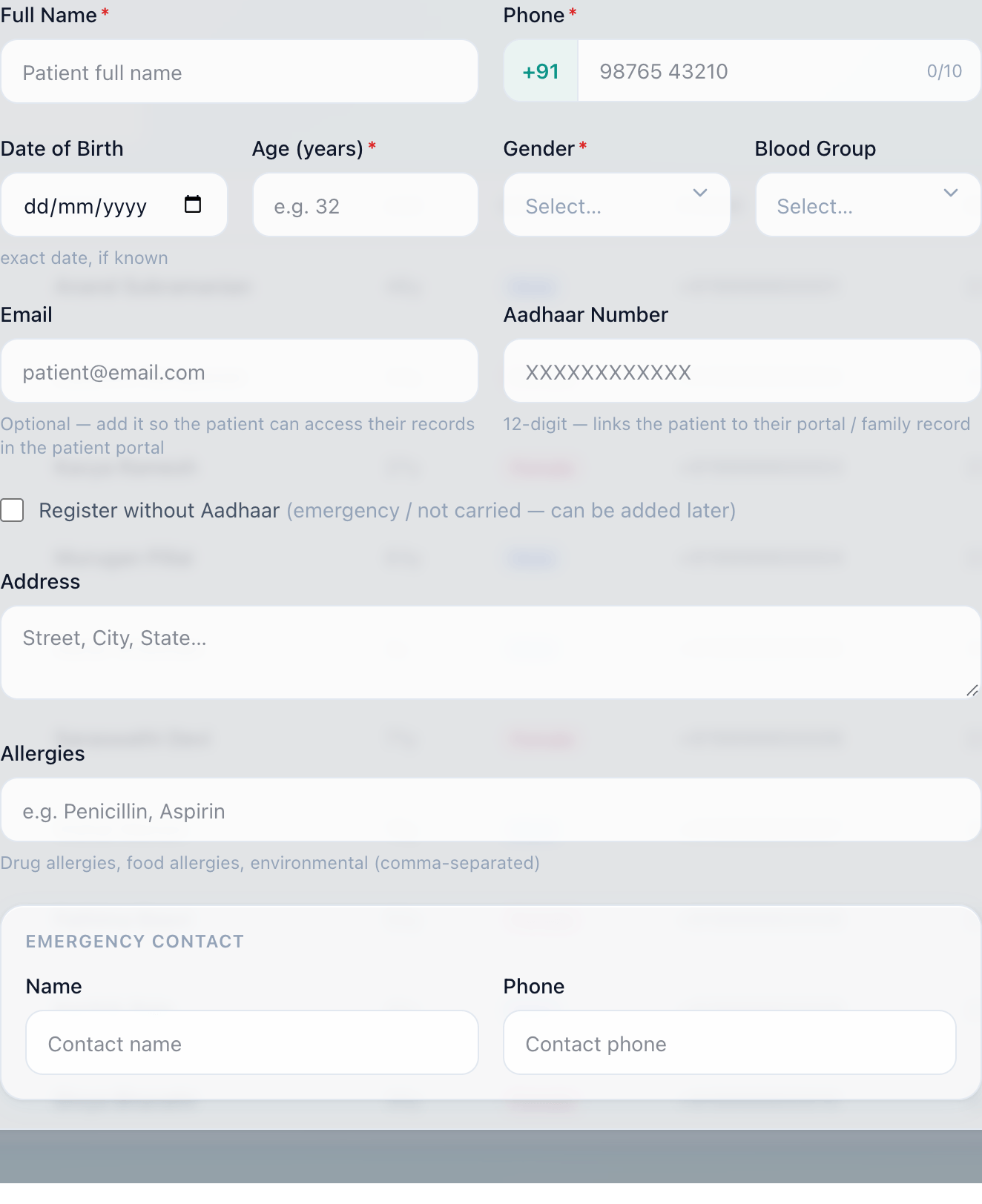
A returning patient should never be registered twice. Searching by phone number or UHID finds them with their whole history attached — which is the difference between a two-minute reception step and a twenty-second one.
Why gender and age are required
Step 2 — The token
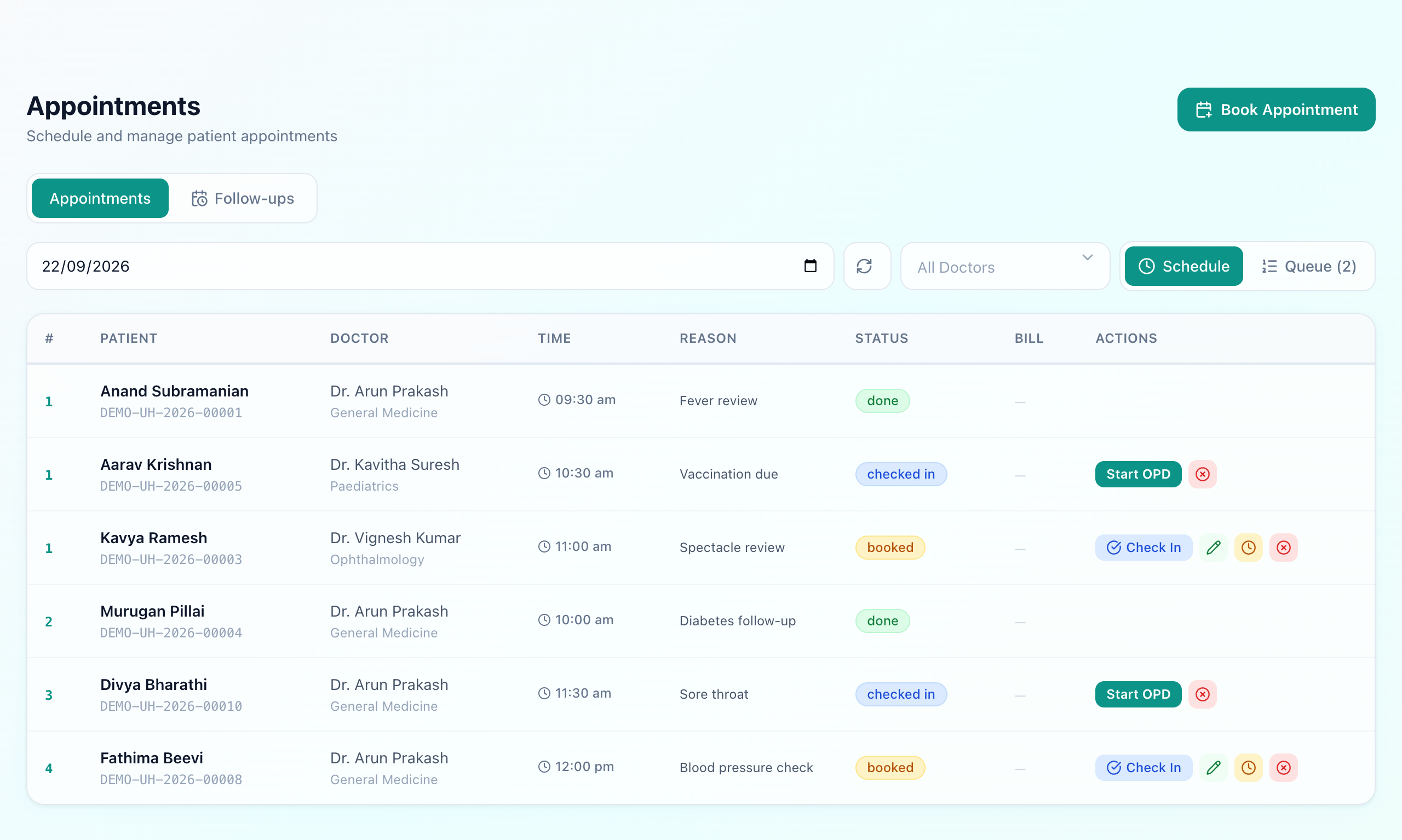
Tokens are issued per doctor, per day, from a counter that resets each morning. That detail matters more than it sounds: a single hospital-wide sequence tells a patient nothing about their turn, because three doctors consulting in parallel make the numbers jump. Token 4 for Dr Arun means three patients ahead of you with Dr Arun.
Walk-ins and booked appointments take numbers from the same counter, so they share one fair order rather than forming two competing queues at the same door.
Step 3 — The worklist
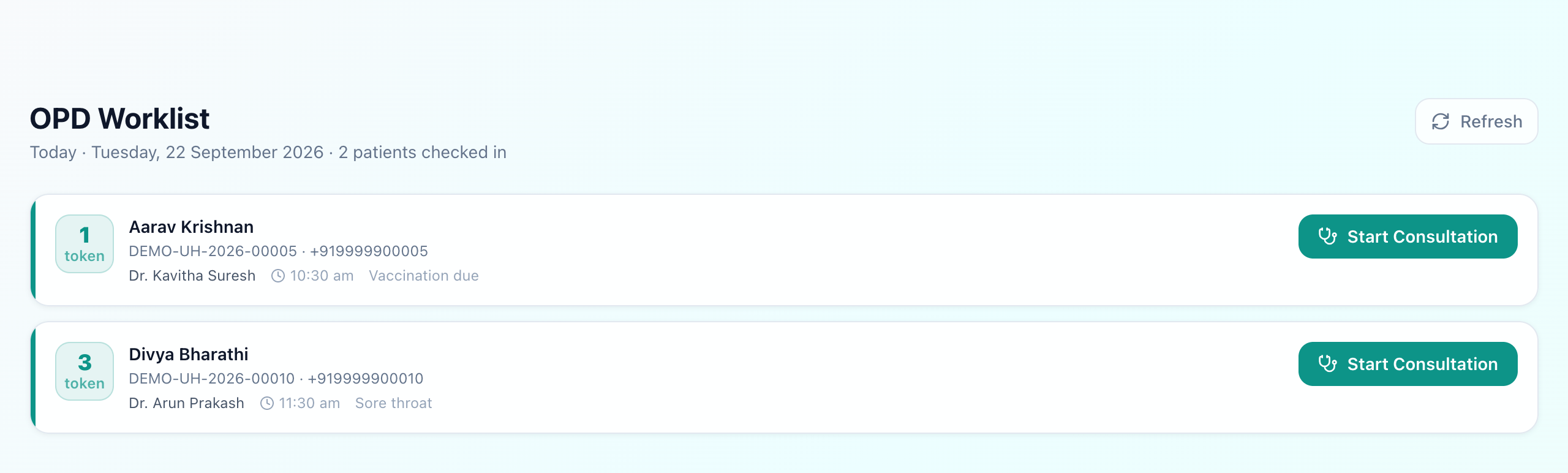
Checking a patient in moves them onto the worklist. Each row carries the token, the patient and their UHID, the doctor, the time and the reason for the visit, so the doctor starts the consultation already knowing why the patient is there.
Step 4 — Vitals, before the doctor

Nurses can record vitals on a visit without being able to write the consultation itself — a genuinely separate permission, not a trust arrangement. In a busy OPD this is the cheapest minute you will ever save: six numbers captured outside the room that would otherwise be taken inside it.
Step 5 — The consultation
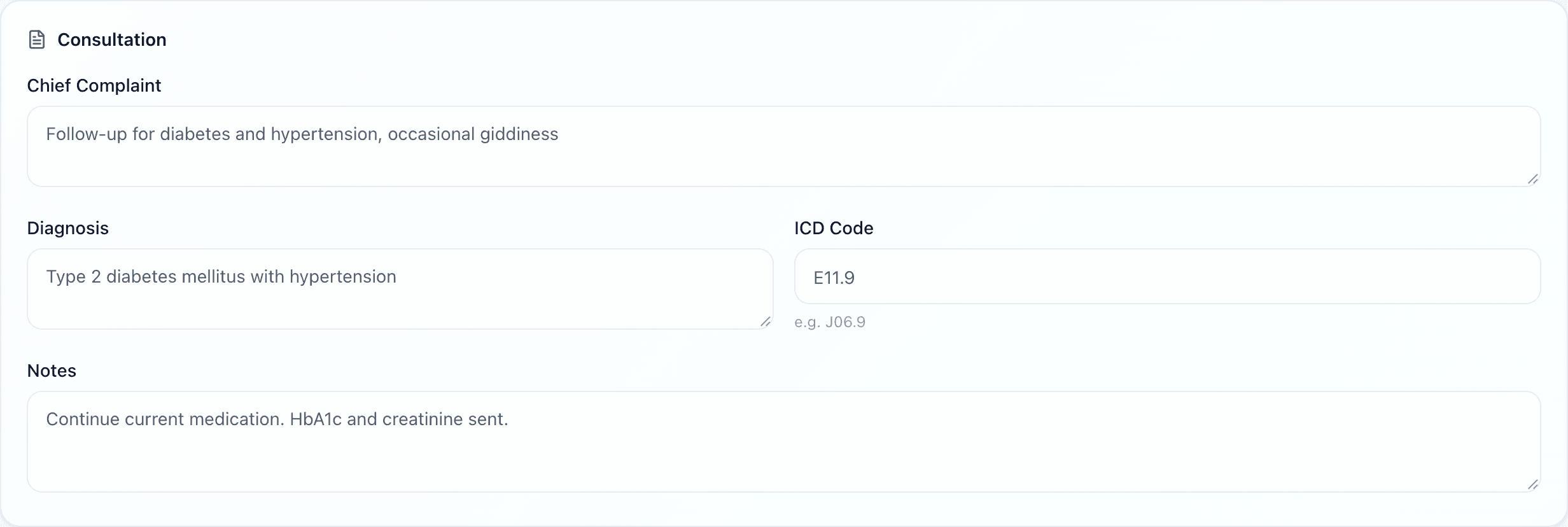
What the consultation asks for depends on the department. A general medicine visit takes complaint, diagnosis, ICD code and notes. A paediatric one adds growth charts and immunisation; a gynaecology one adds antenatal care; dental and ophthalmology have their own. The template comes from the department the doctor belongs to, so nobody chooses it per visit.
Step 6 — What the visit leaves behind
A consultation ends by producing things other departments need: a prescription that reaches the pharmacy without being retyped, lab or imaging orders that reach those worklists, and a consultation charge that lands on the same bill as everything else the patient does today. That is the real test of whether the OPD module is part of the hospital or a standalone queue display.
The two questions worth asking a vendor
- Is the token per doctor or per hospital? A hospital-wide number looks tidy in a demo and is useless in a corridor.
- What happens to the prescription? If the answer involves printing it and carrying it to the pharmacy counter, the two modules are not connected, whatever the brochure says.
What Uyirly does
- One ordered worklist of who has arrived, with appointments and walk-ins in the same queue.
- Tokens numbered per doctor per day, from a counter that resets each morning.
- Returning patients found by phone number or UHID, with their history attached.
- Nurses can record vitals without being able to write the consultation.
- The consultation form follows the department — paediatrics, obstetrics, dental and ophthalmology each get their own.
- Prescription, orders and the consultation charge all reach the same patient and the same bill.
Getting started
The OPD is part of Uyirly's hospital management software, sharing one patient record with pharmacy, lab and billing. Start a 30-day free trial — no credit card.