Inpatient care is the part of a hospital where the software either holds the whole stay together or quietly fragments it. A stay runs across days, wards, doctors and departments, and ends in one bill. The two things that make it work are knowing which beds are free, and keeping everything that happens attached to one admission.
Step 1 — Knowing what is free
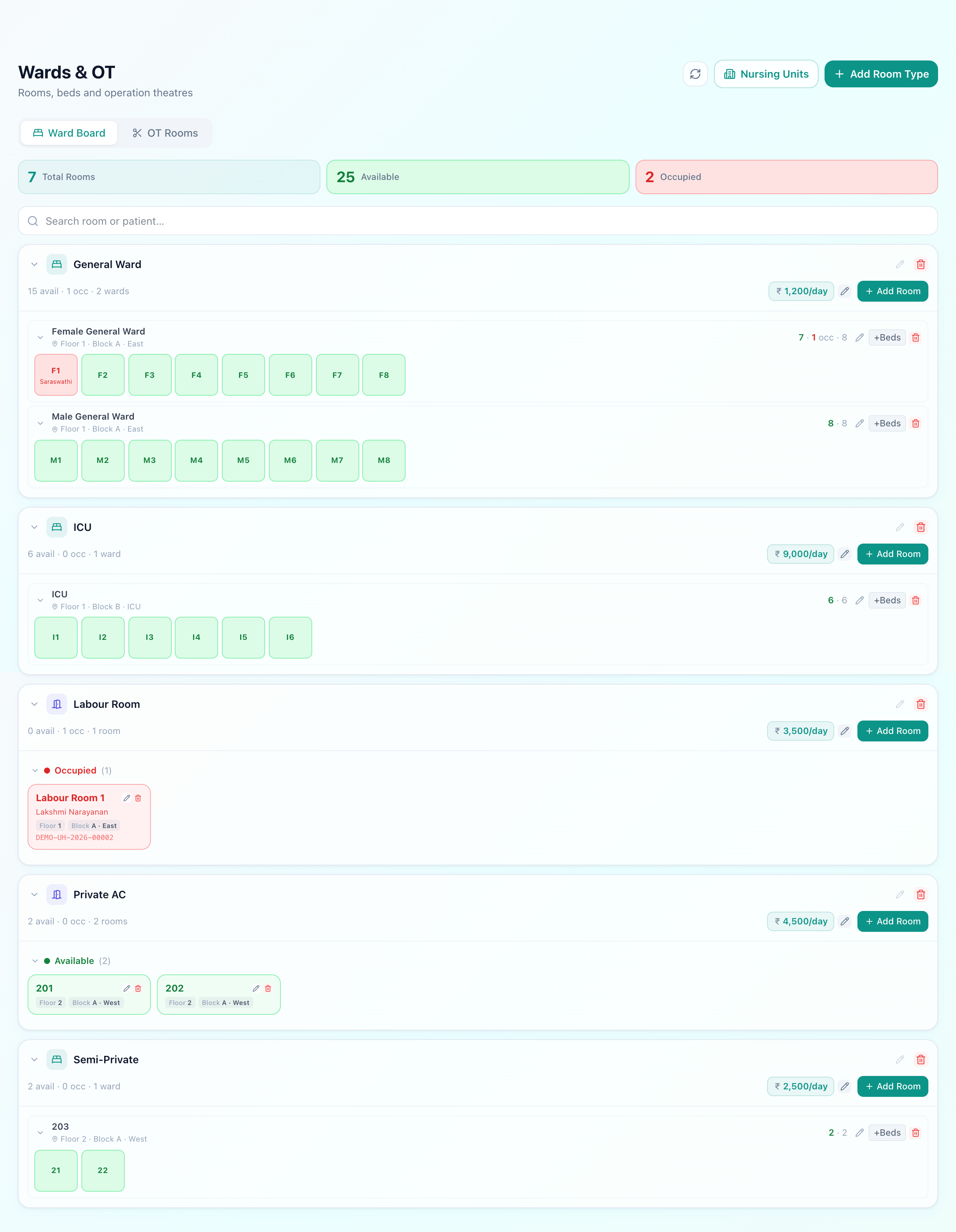
The board is grouped by room typerather than by corridor, because that is the question being asked at admission: not “what is on the second floor” but “is there an ICU bed, and what does it cost a day”. Each room carries its floor and block, so the answer includes where to send the patient.
A bed is available, occupied, or under maintenance — the last of which matters more than it seems. A bed that is broken, being cleaned or held for isolation is not available, and a board that cannot say so will keep offering it.
Overflow wards, for the night it is full
Step 2 — Admitting
Where an admission comes from
OPD consultation
Doctor decides to admit
Emergency
Straight from triage
Direct
Planned surgery or transfer in
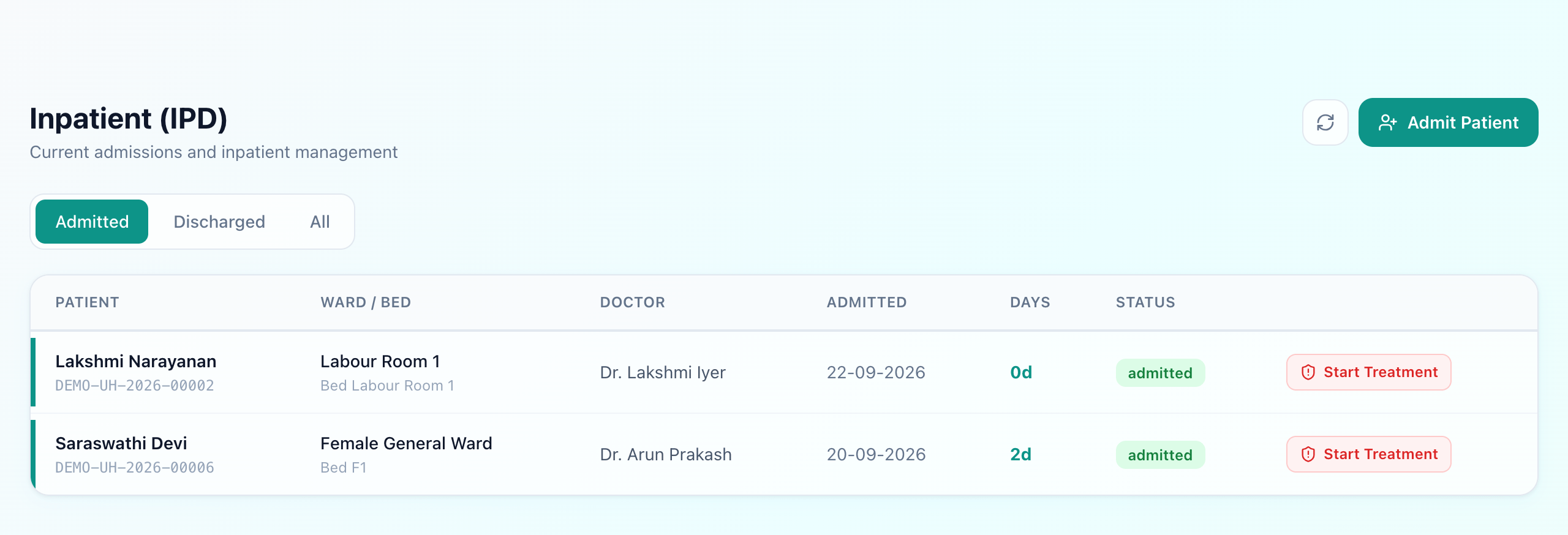
An admission records where it came from — the OPD visit or the emergency case — so the patient is never re-registered and the trail from first contact to bed stays intact. It captures the admitting doctor, the ward and bed, and the reason, and the bed becomes occupied the moment it is assigned.
Step 3 — The stay
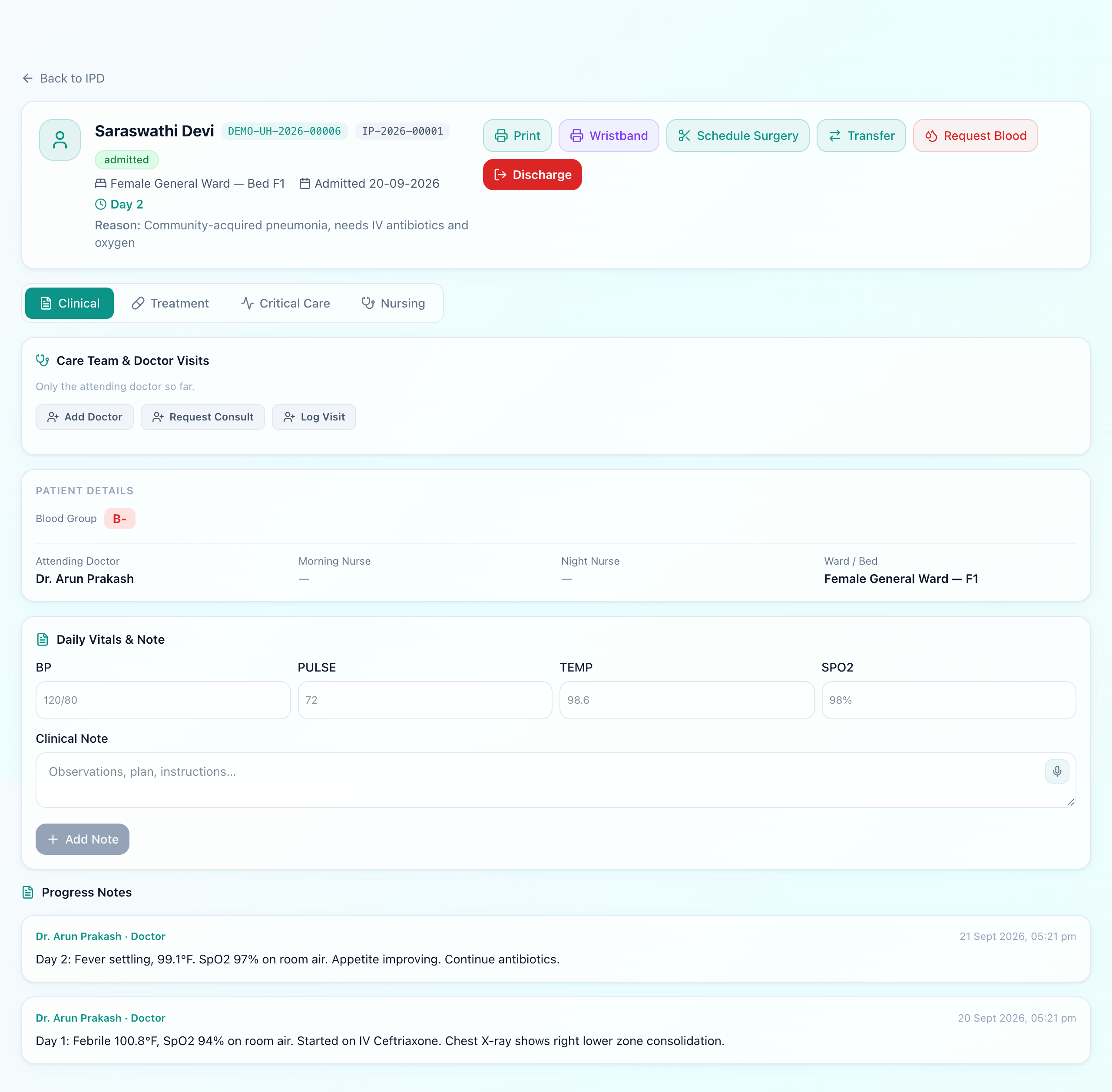
Everything that happens now attaches to this admission rather than floating loose: progress notes, nursing observations, treatment orders, medicines issued from the pharmacy, lab and imaging orders, and theatre if it comes to that. A maternity admission additionally opens the labour ward record.
Meanwhile the money accrues by itself. Bed rent and nursing charges are added each day from the room type's daily rate, for as long as the patient occupies the bed. Nobody counts nights at discharge, and nobody forgets a day.
Step 4 — Transfers
A transfer between wards should do three things at once: release the old bed to available, occupy the new one, and keep the stay under the same admission. The last is the one to check in a demo. A transfer that closes one admission and opens another produces two bills for one stay, splits the treatment history in half, and restarts the daily charges — and it is a surprisingly common way for systems to handle it, because it is easier to build.
It also has to price correctly. Moving from a general ward to ICU changes the daily rate from the day of the move, not from the beginning of the stay.
Step 5 — Discharge
Discharge releases the bed, stops the daily charges, and closes the admission with a discharge summary. What should not happen at discharge is a scramble to assemble the bill: if pharmacy, lab, theatre and bed charges have been posting to the running bill all along, the bill is already there and the advance already applied. Our IPD billing guide covers how that total comes together.
Where this usually breaks
- The board is stale. If the bed is only released when someone remembers to update it, the board becomes a second thing to maintain and staff go back to phoning the ward.
- Transfers start a new admission. Two bills, split history, restarted charges.
- Charges are entered at discharge. Anything remembered at the end is something that can be forgotten, and it is always the hospital that loses.
- Emergency admissions register the patient again. A duplicate record for someone who already exists, created at the worst possible moment.
What Uyirly does
- A live bed board across every ward — available, occupied or under maintenance — grouped by room type with floor and block.
- Admission from an OPD visit, from Emergency, or direct, recording where it came from.
- Overflow wards whose beds are created on demand when nothing is free.
- Transfers that move the bed and keep one admission, repricing from the day of the move.
- Bed and nursing charges accruing daily onto the running bill without being entered.
- Progress notes, nursing records, treatment orders, pharmacy, lab and theatre all attached to the one admission.
- Discharge that releases the bed, stops the charges and closes the record with a summary.
Getting started
IPD is part of Uyirly's hospital management software, sharing one patient and one bill with every other department. Start a 30-day free trial — no credit card.