Ask a patient to repeat their history at every department they visit and you have already lost the main benefit of digitising a hospital. A Unique Health ID and the record built under it exist so that does not happen: one identity, one growing history, visible to whichever department needs it.
This guide walks through how a patient record is created, what accumulates on it, and the two places where hospitals most often lose the thread.
What a UHID is
UHID stands for Unique Health Identification number — a single ID a hospital issues the first time a patient registers. Every OPD visit, admission, test, prescription and bill from then on is filed under that number. In Uyirly it looks like DEMO-UH-2026-00004: the hospital's own code, the year, and a serial that runs in order.
It is worth being clear that a UHID is notan ABHA number. The UHID is internal — this hospital's own identifier for this patient. ABHA is India's national health account, meant to travel between providers; what that national layer asks of hospital software is a separate subject, covered in our ABDM and ABHA guide. Everything below is about the hospital's own record, which is what actually runs the day.
Step 1 — Registering once
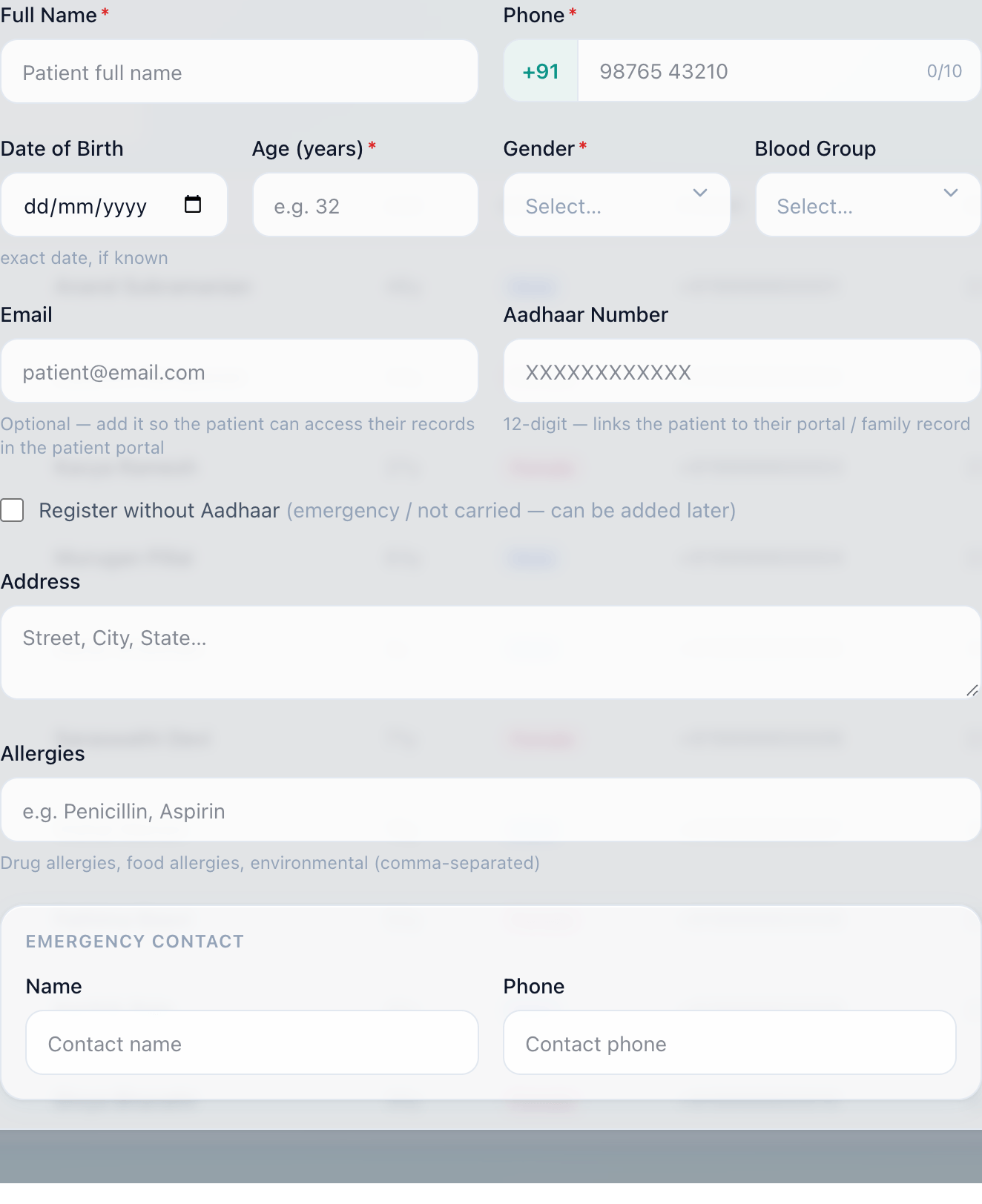
Registration asks for the things the rest of the system depends on. Gender and age are required, not as form-filling but because they decide which clinical form opens later — paediatric growth charts, the antenatal record, a paediatric dose check. Most walk-ins give an age rather than a birthday, so either satisfies it; enter the age and the date of birth is worked back from it and marked as an estimate, so nobody later mistakes it for a real birthday.
The step that decides whether any of this works is the one before: searching. A returning patient found by phone number or name keeps one record. A returning patient registered again — because search was slow, or the spelling differed — now has two histories, and every department downstream inherits the split.
Step 2 — Finding them again
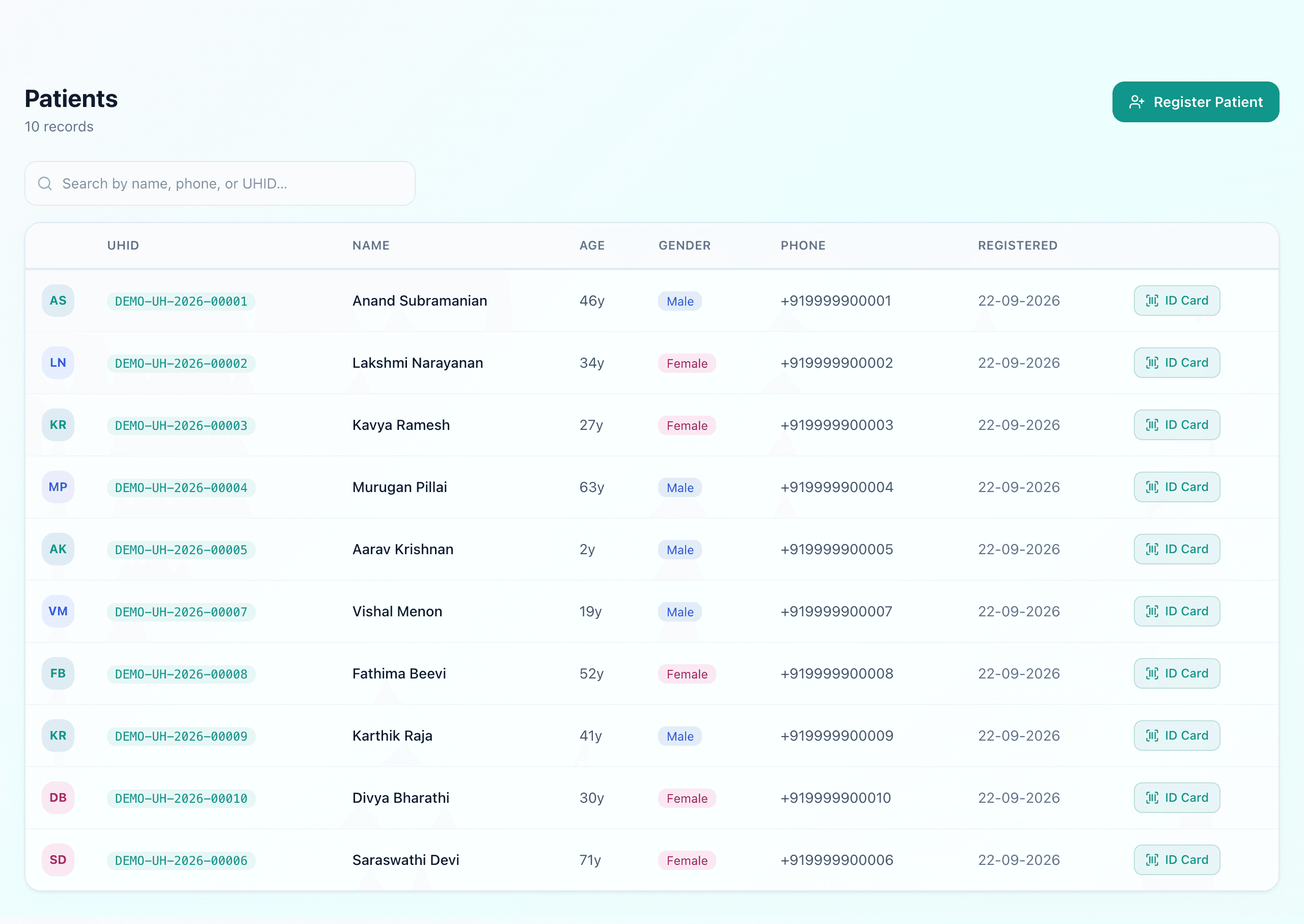
The list carries what reception actually needs to identify someone at a counter — name, age, gender, phone — and what accounts needs before the next visit starts: whether anything is still outstanding.
Step 3 — What accumulates
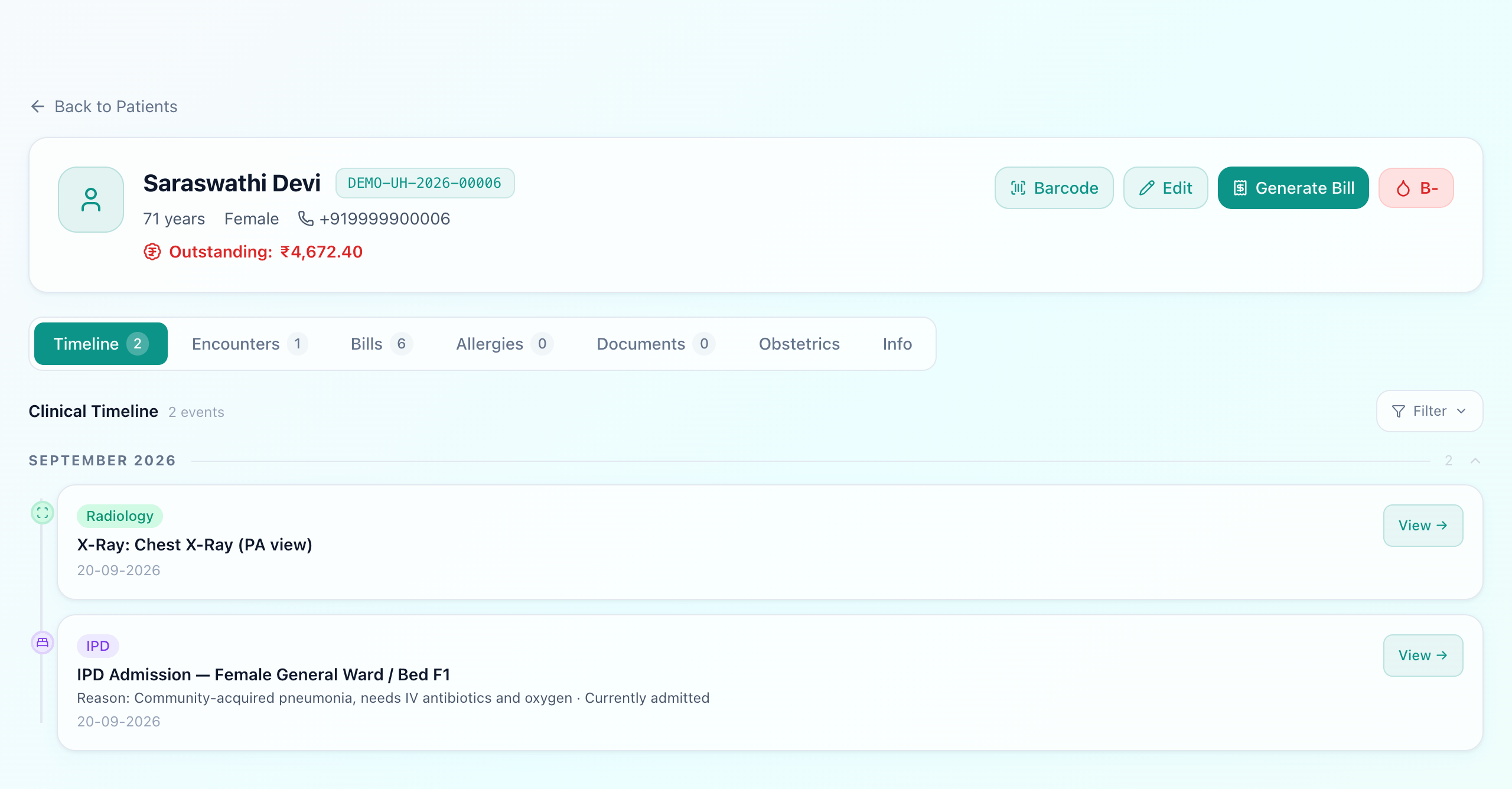
Nobody maintains this. The X-ray appears on the timeline because radiology reported it; the admission appears because a bed was assigned. The tabs split the same record by what you came looking for:
- Timeline — everything clinical in date order, across departments.
- Encounters — the OPD visits and admissions themselves, each opening the full consultation.
- Bills — every bill raised, and what is still owed.
- Allergies — recorded once, used everywhere (below).
- Documents — scans, consents, referral letters, insurance papers.
- Info — the demographics, and the Aadhaar number if one was given.
The header carries the two things staff need before they do anything else: what the patient owes, and what they are allergic to.
Step 4 — Allergies, and why they belong here
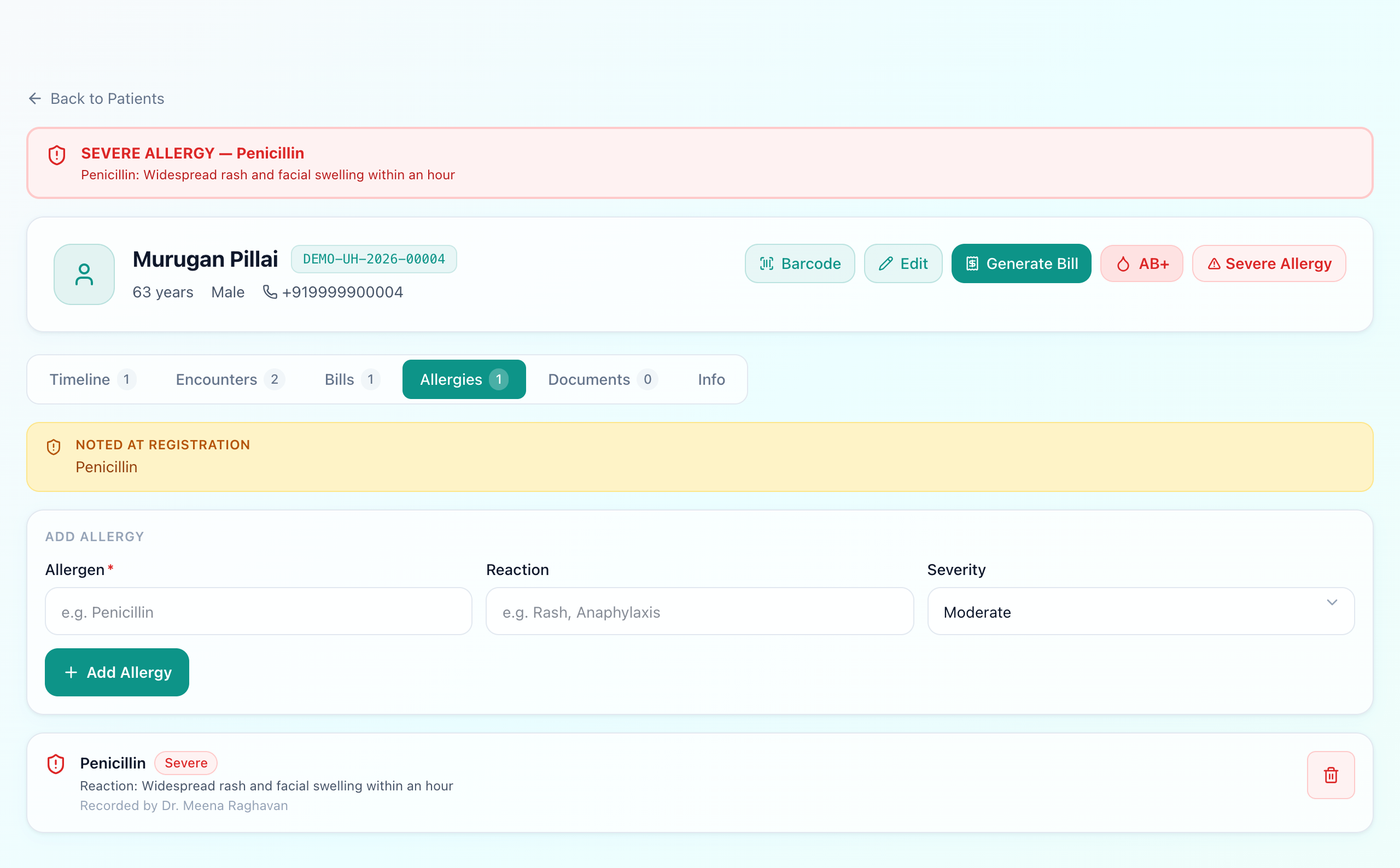
An allergy is recorded as an allergen, a reaction and a severityrather than a sentence, and that structure is what lets it do something. A severe one becomes a red banner across the whole record and a chip beside the patient's name.
The part that matters is at prescribing time
Where the record comes apart
The two ways one patient becomes two
Search is slow
Staff register afresh instead
Emergency arrival
No time to look them up
Two histories
Neither one complete
Both failures happen under time pressure, which is why neither is solved by telling staff to be more careful. Search has to be fast enough to be worth using, and an emergency case has to be able to start before the paperwork — attaching to the existing patient once there is a moment to check, rather than creating a parallel record at the worst possible time.
Access and the audit trail
A record that everybody can open is a different risk from a paper file, because it leaves no trace. Access is by role — reception sees demographics and bills, clinical staff see clinical history, accounts sees money — and every change is logged with who made it and when. Worth knowing the limit: reads are not logged, so the trail answers “who altered this record” rather than “who opened it”. The wider obligations are covered in our data security and DPDP guide.
What Uyirly does
- One UHID per patient, issued at registration in the hospital's own sequence.
- Search by name, phone or UHID, so a returning patient is found rather than re-created.
- Age accepted instead of a date of birth, with the derived date marked as an estimate.
- A timeline that fills itself in from OPD, IPD, lab, radiology, pharmacy and billing.
- Allergies as allergen, reaction and severity — a banner on the record and a class-aware warning at prescribing.
- Drug interaction warnings against the rest of the same prescription.
- Outstanding balance on the record, so nobody starts a visit unaware of it.
- Role-based access, with every change audit-logged (reads are not).
Getting started
The patient record is the core of Uyirly's hospital management software — the same record every module reads and writes. See the OPD guide for what a visit adds to it, or start a 30-day free trial — no credit card.