“Digitizing a hospital” sounds like one big project, but it almost never happens that way in practice. It happens one workflow at a time — registration first, then OPD, then billing, then IPD — each one only paying off once the previous one is solid. This guide walks through that sequence and what actually needs to connect at each step.
Why digitize now
A hospital run on paper spends its day reconciling registers that never agree. Charges given but never billed leak money. A lab report is ready but sits on a desk while the ward waits. Discharges drag because the bill is added up by hand. Digitizing removes that friction by putting every department on one shared patient and one shared bill — faster discharges, no lost charges, and a clear live view of the hospital for the people running it.
The full patient-journey workflow
OPD → IPD → Billing, step by step
Registration
One UHID per patient
OPD
Queue, vitals, consultation
Orders
Lab, radiology, prescription
Admission
If IPD is needed
Ward care
Nursing, treatment, pharmacy
Discharge & billing
One combined bill
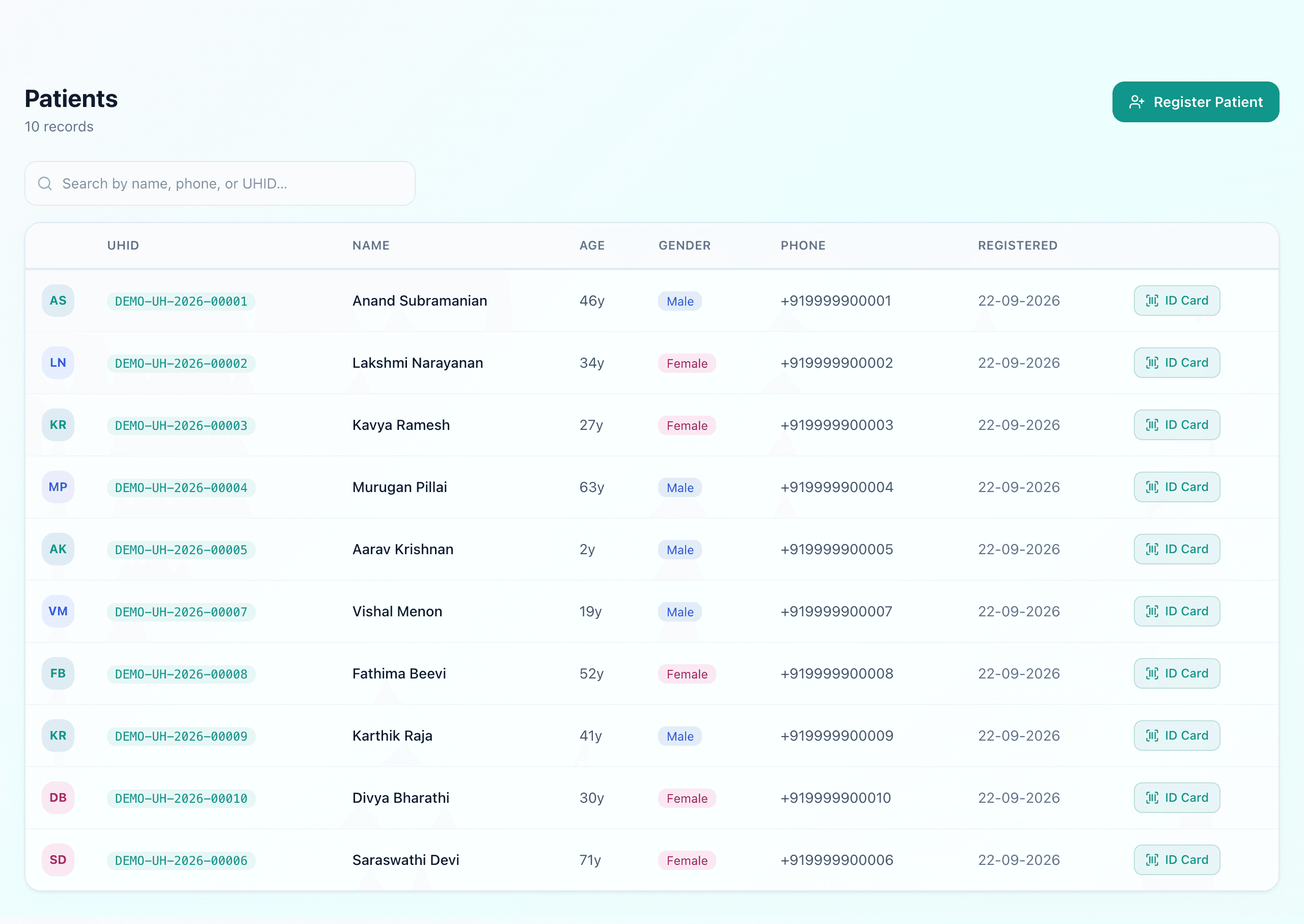
Step 1: Registration and a single patient identity
Everything downstream depends on this step being right. Every patient needs one unique health ID (UHID) that every department searches against — not a fresh entry each visit. Get this wrong and every later module inherits duplicate, fragmented patient records — and no amount of care in the later modules fixes it. Our EMR and UHID guide covers how the identity is issued and, just as importantly, how a returning patient is found again.
Step 2: OPD — the highest-volume workflow
OPD accounts for the large majority of hospital visits, so it's usually the first clinical workflow worth digitizing. A queue/token system, vitals capture, and a consultation screen that lets a doctor record diagnosis and prescription against the patient's single record removes the most daily friction for the least implementation effort. See OPD queue & token management.
Step 3: Orders that leave the consultation room
A prescription, a lab order, a radiology order — each of these needs to reach the right department without a paper slip changing hands. This is where lab and pharmacy digitization pays off: an order placed in OPD should appear directly in the lab or pharmacy queue, tagged to the same patient record.
Step 4: Admission and ward care (IPD)
If a patient needs to be admitted, IPD digitization takes over — bed allotment, nursing assignment, and every subsequent charge (bed rent, nursing, further lab/pharmacy/OT) accumulating against the same patient record instead of restarting the paperwork. See IPD admission & bed management.
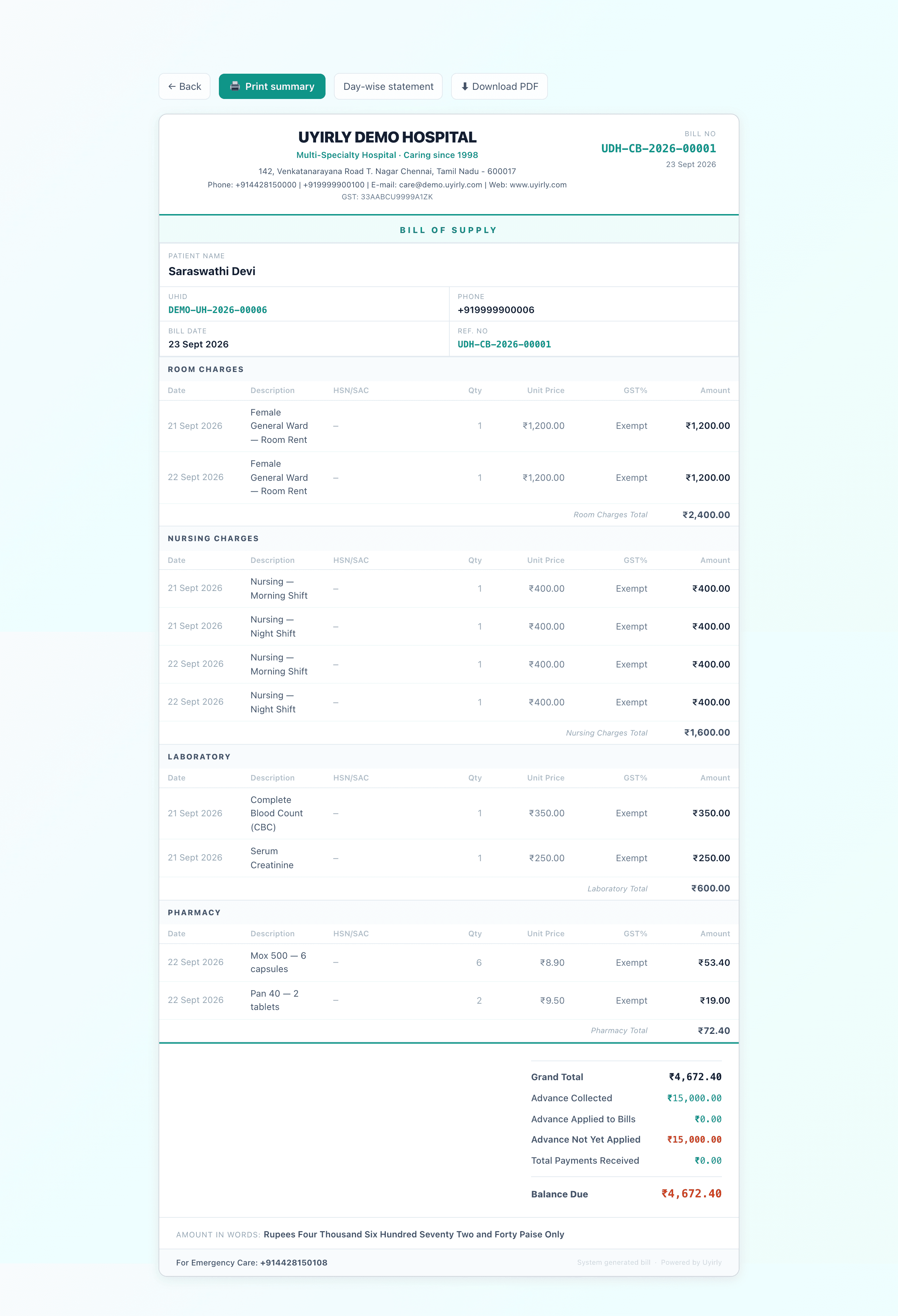
Step 5: Billing — where every workflow converges
Billing is the workflow that proves whether the rest actually connected. If OPD, lab, pharmacy and IPD charges all land on one combined bill automatically, digitization worked. If someone still has to manually gather charges from four departments at discharge, one of the earlier steps isn't actually connected yet. See IPD billing explained.
Digitize in phases, not all at once
What “done” looks like
A hospital's digitization is working when a patient can walk in, be found by one search, be seen, tested, treated and billed — and every department along the way sees the same record instead of its own separate copy. That single thread, more than any individual feature, is what a hospital management system is actually for.
Common mistakes to avoid
- Digitizing everything at once — start with registration, OPD and billing, then add the rest in phases.
- Skipping the single UHID — if patients get duplicate records, every later module inherits the mess.
- Choosing per-bed pricing — it looks cheap now and grows as you do; prefer a flat plan.
- Picking tools that do not share data — if billing does not see the lab and pharmacy, you have not really digitized.
Getting started
You do not need a big project or a server room. A cloud hospital management system like Uyirly lets you sign up, add your team and departments, and register your first patient the same day — then switch on lab, pharmacy and the rest in phases as your staff get comfortable. You can start a 30-day free trial with no credit card.