Most of what a hospital front desk answers on the phone is routine: can I get my report, what did the doctor prescribe, can I book Tuesday. Each of those is a self-service task — and each one currently costs a member of staff a call while somebody stands at the counter waiting.
The complication is that families do not have one patient each. A mother manages her child's records, her own, and her father's. A portal built for one person per login breaks on the first real household.
One login, a family under it
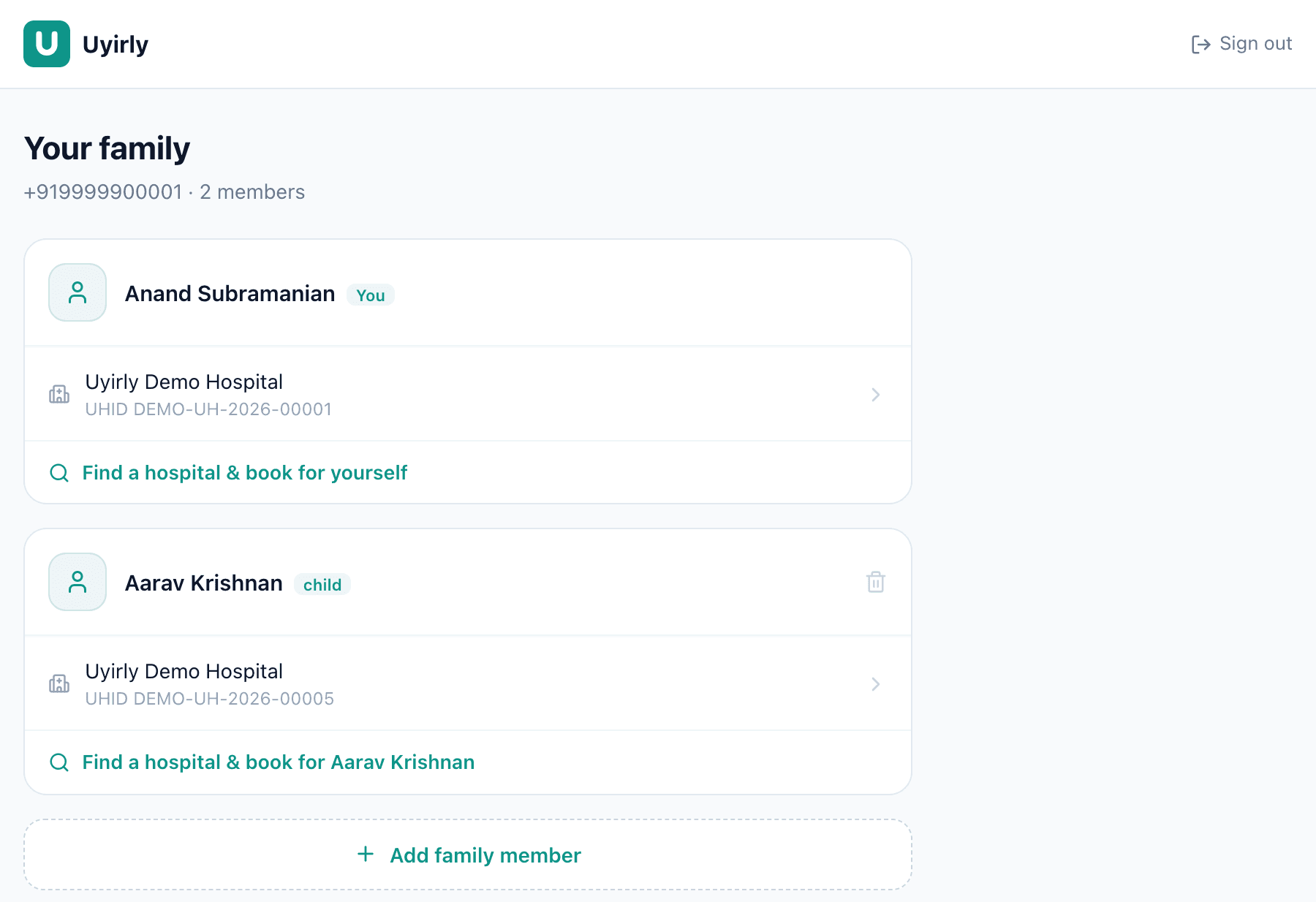
The account is the family; the membersare the people. Each member shows the hospitals where they have a record, with that hospital's own UHID — because the number is the hospital's, not the portal's. Adding a member takes a name and, where available, an Aadhaar number.
Universal identity, records that stay where they are
What a member can see
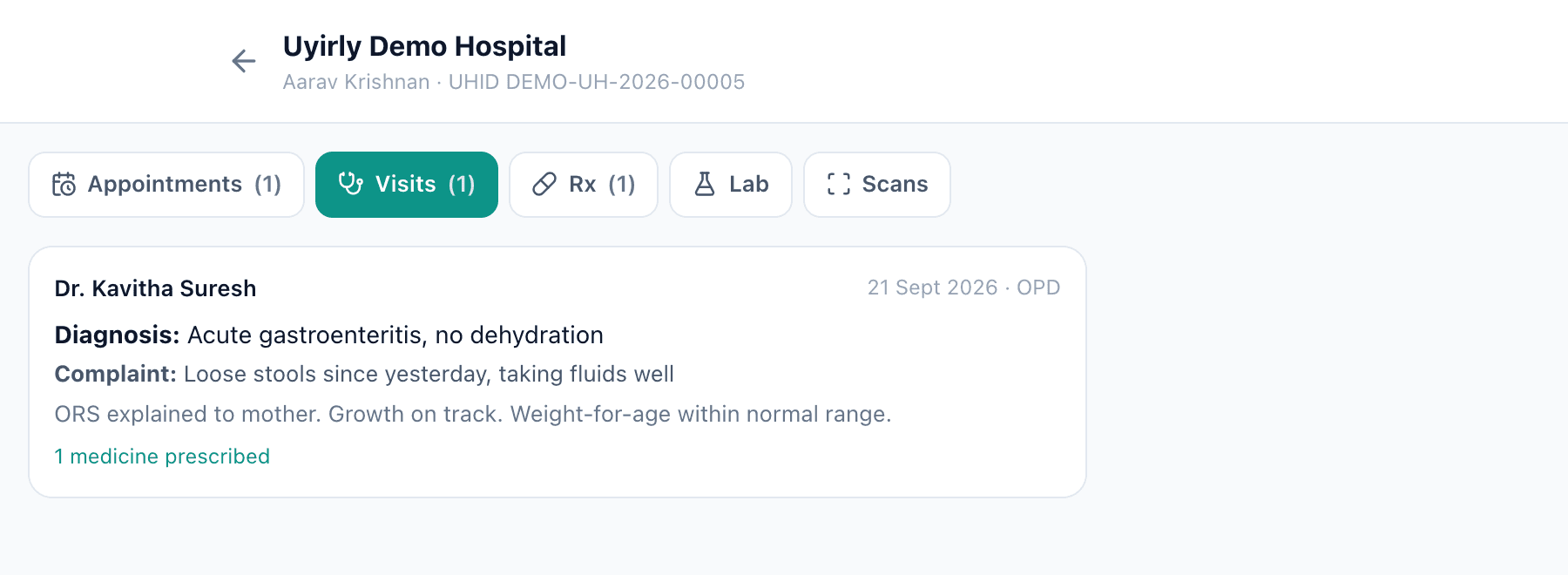
Five tabs, each counting what is in it:
- Appointments — what is booked, and a live queue position on the day.
- Visits — each consultation with its complaint, diagnosis and the notes written for the patient.
- Rx — what was prescribed.
- Lab — finalised results, openable as the report.
- Scans — reported imaging, including the image where one was uploaded.
Worth saying what is not there: bills are not in the portal today. A patient can see their care but not their account. If billing self-service matters to you, ask about it specifically rather than reading “patient portal” and assuming.
Booking, and the queue
New patient → booked, without touching the desk
Register
Name, email, phone
Add members
Family under one login
Find a hospital
From the directory
Book
Record created, token issued
A booking from the portal is a real booking: it creates the patient's record at that hospital from the member's profile, takes a token, and raises the consultation bill the way a front-desk booking does — collected at the counter on arrival, and cancelled automatically if the patient does not come. On the day, the appointment shows a live queue position: how many are ahead, and roughly how long. That one number replaces most of the calls a front desk takes.
Which days can be booked comes from the doctor's published OPD hours— a day the doctor does not consult is simply not offered, and the session's token cap is what stops it being oversold.
The identity problem
For the portal to show “my records”, each hospital record has to attach to the right person. A family sharing one phone number cannot be told apart by phone, so Uyirly links a record to a member three ways:
- Directly — the record was created from the portal, so it is linked from birth.
- By Aadhaar — a hospital record carrying the member's Aadhaar links to them when the member is added.
- By phone — the fallback, which is why a household sharing a number needs one of the first two to keep members distinct.
This is the practical argument for capturing Aadhaar at registration where the patient is willing: it is the only per-person key an Indian hospital reliably has. See UHID and patient records for how identity works on the hospital side.
Privacy and consent
A portal showing health records handles sensitive personal data, so two things have to hold. First, a patient sees only their own and their members' records, enforced on every request rather than by hiding links — the portal checks ownership server-side before it returns anything. Second, adding a family member is itself a consent decision: the account holder is asserting they are entitled to manage that person. Under India's DPDP Act that maps to consent, and for children to guardian consent. The wider picture is in the DPDP and data security guide.
What a patient should and should not see
A good portal is deliberate about scope. Patients should see what is theirs and finished: visits, prescriptions, finalised lab and radiology reports. They should not see draft or unverified results, or internal working notes — releasing an un-finalised report causes alarm and occasionally harm. Getting that boundary right is what makes clinicians comfortable with a portal existing at all.
Adoption is an operational habit
A portal only helps if patients use it, and that is decided at the registration desk rather than in the app. Capturing an email so the patient can sign in and reset a password, and an Aadhaar so their records find the right member, is what makes the portal light up the first time someone opens it. If reception treats both as optional, the portal stays empty and nobody blames the desk.
Portal, or WhatsApp and SMS?
Both, doing different jobs. Messaging is push — your report is ready, your appointment is tomorrow. The portal is pull — where the patient goes to read the report. A message that notifies and a portal that holds the detail is the combination that works; a portal with no notification is a place nobody remembers to visit.
What Uyirly does
- One login for a family, with members added under it and a relationship on each.
- A universal account: every Uyirly hospital a member has visited, listed with its own UHID.
- Per-member records — appointments, visits, prescriptions, lab reports and scans.
- Self-registration, a hospital directory, and booking that creates the record and issues a token.
- A live queue position on the day of the appointment.
- Booking limited to the doctor's published sessions and their token caps.
- Records linked by account, by Aadhaar, or by phone as a fallback.
- Ownership checked server-side on every request.
Where it fits
The portal is the patient-facing face of the rest of the system: it surfaces the record, the reports from lab and radiology, and puts bookings into the OPD queue. Start a 30-day free trial — no credit card.