Radiology has a narrow but unforgiving job: turn an order into a report, attached to the right patient, without anything sitting unnoticed in between. The failure modes are mundane — a scan performed but never reported, a report written but never seen by the doctor who asked, a study done and never billed.
The worklist, by stage
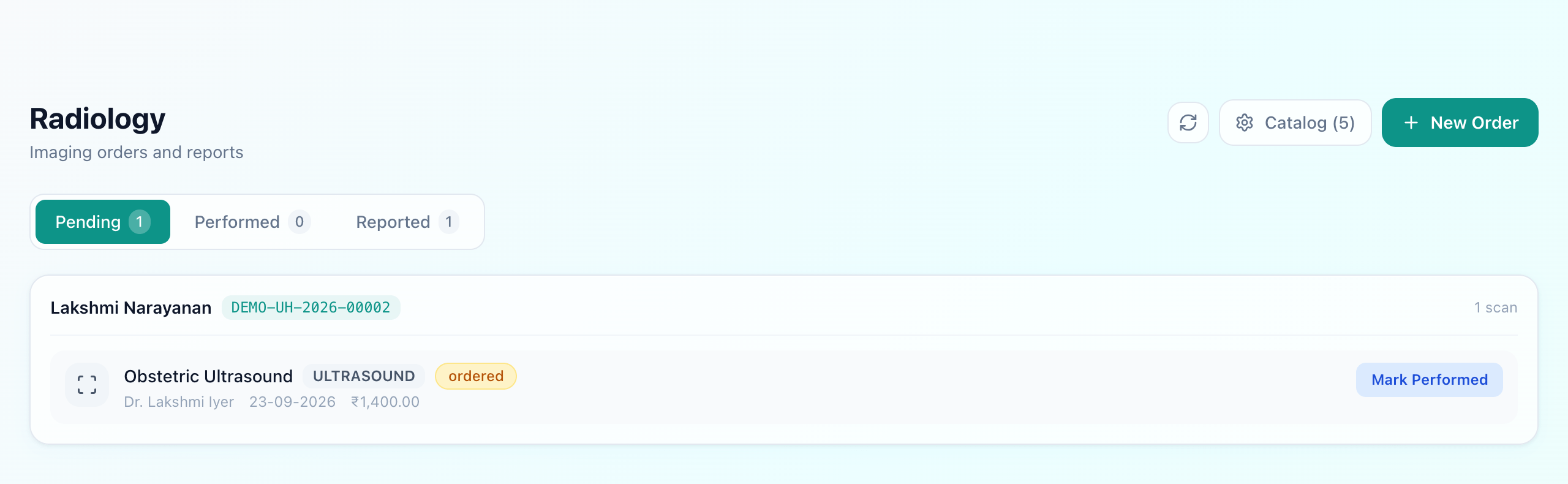
Each stage answers a different person's question. Pendingis the technician's list: which scans still have to be done. Performedis the radiologist's: scans done and waiting for a report — the queue where studies quietly go stale in hospitals that track this on paper. Reported is the record.
An order carries its priority. An urgent chest film for a breathless inpatient and a routine antenatal scan are not the same job, and a worklist that cannot say so will have them worked through in the order they were typed.
The report
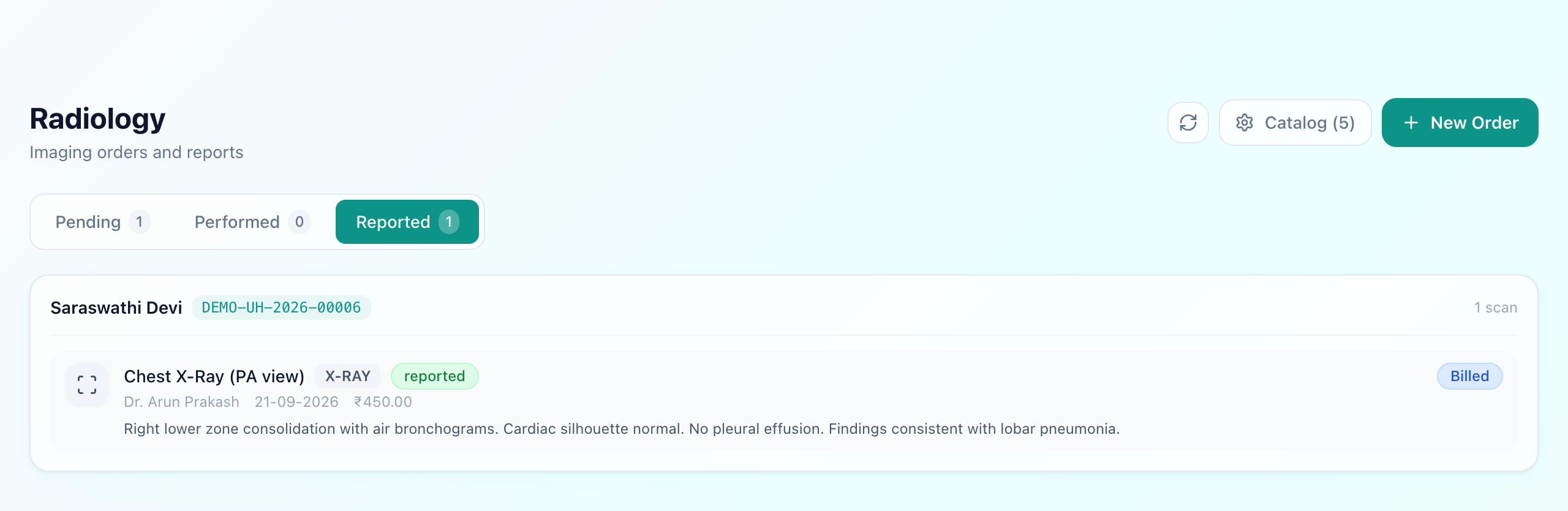
The report is written against the order itself. That is the part that matters: it means the findings are attached to the patient, visible in the next consultation alongside their lab results, rather than living in a radiology folder that the treating doctor has to go and look for.
Where the order comes from, and where the charge goes
A scan ordered during a consultation or for an admitted patient reaches radiology already attached to that patient — there is no second registration at the imaging counter. The charge is created by the order, so a study that was performed is a study that was billed. For an inpatient it joins the running bill; see IPD billing.
What to check before buying
- Is there a stage between performed and reported? If a scan goes straight from ordered to reported, nothing tracks the studies that were done and not yet read — which is exactly where delays hide.
- Does the report land on the patient record? A PDF emailed to the ward is not the same as a report the next consultation opens with.
- Does the order create the charge? If billing is a separate entry, some studies will be performed for free.
What Uyirly does
- A worklist in three stages — pending, performed, reported — with counts on each.
- Priority on the order, so urgent studies are visible as urgent.
- A catalogue of studies by modality, each with its price.
- The report written against the order and kept on the patient's record, beside their lab and consultation history.
- Orders raised from an OPD consultation or a ward, without re-registering the patient.
- The charge created by the order, reaching the patient's bill without re-entry.
Getting started
Radiology is part of Uyirly's hospital management software and shares one patient record with the lab and the consultation that ordered the scan. Start a 30-day free trial — no credit card.