Staff records are the layer underneath every clinical workflow. A hospital cannot roster nurses, price a consultation or know who is on the floor without them — and because every person on the system is also a login, the staff record is where the hospital's security actually lives.
The directory
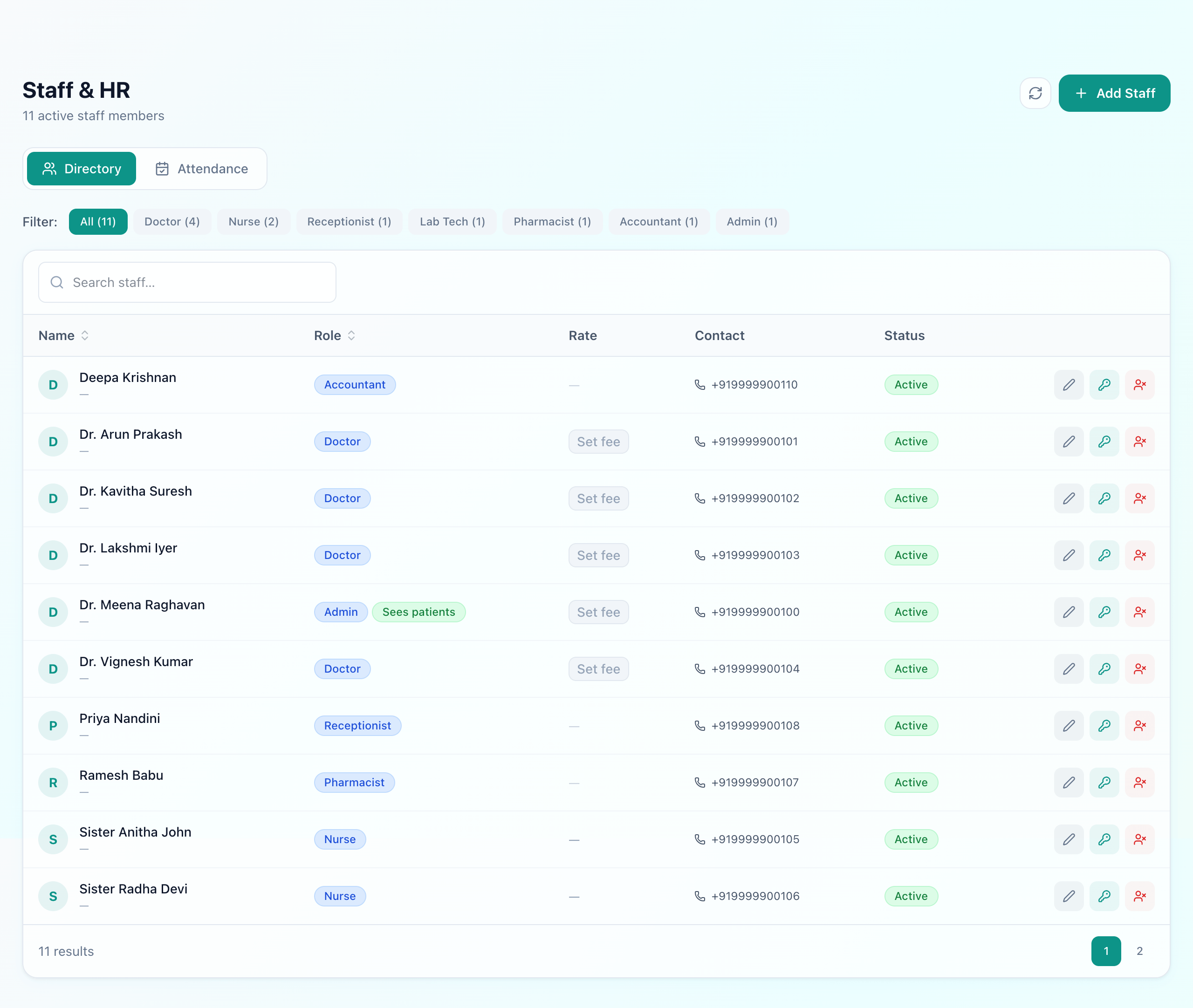
Adding a member of staff creates their login at the same time — there is no second step in which someone is on the org chart but cannot sign in, or signs in without being on it. Each record carries:
- A role — admin, doctor, nurse, receptionist, lab technician, pharmacist or accountant. This is a permission, not a job title: it decides what the person sees across the whole system. An admin who also consults is marked sees patients, so they appear in the doctor lists without giving every administrator a clinic.
- A rate— a doctor's consultation fee, a nurse's per-shift nursing charge. These are what billing reads, so setting them here is what stops a consultation being priced by memory at the counter.
- Designation, joining date, contact and emergency contact — the operational minimum.
The row actions are the ones that matter in practice: reset a password, change the email a person signs in with, resend their credentials, and deactivate rather than delete. Someone who has left keeps their name on everything they recorded, which is what an audit trail requires, but can no longer sign in.
Attendance
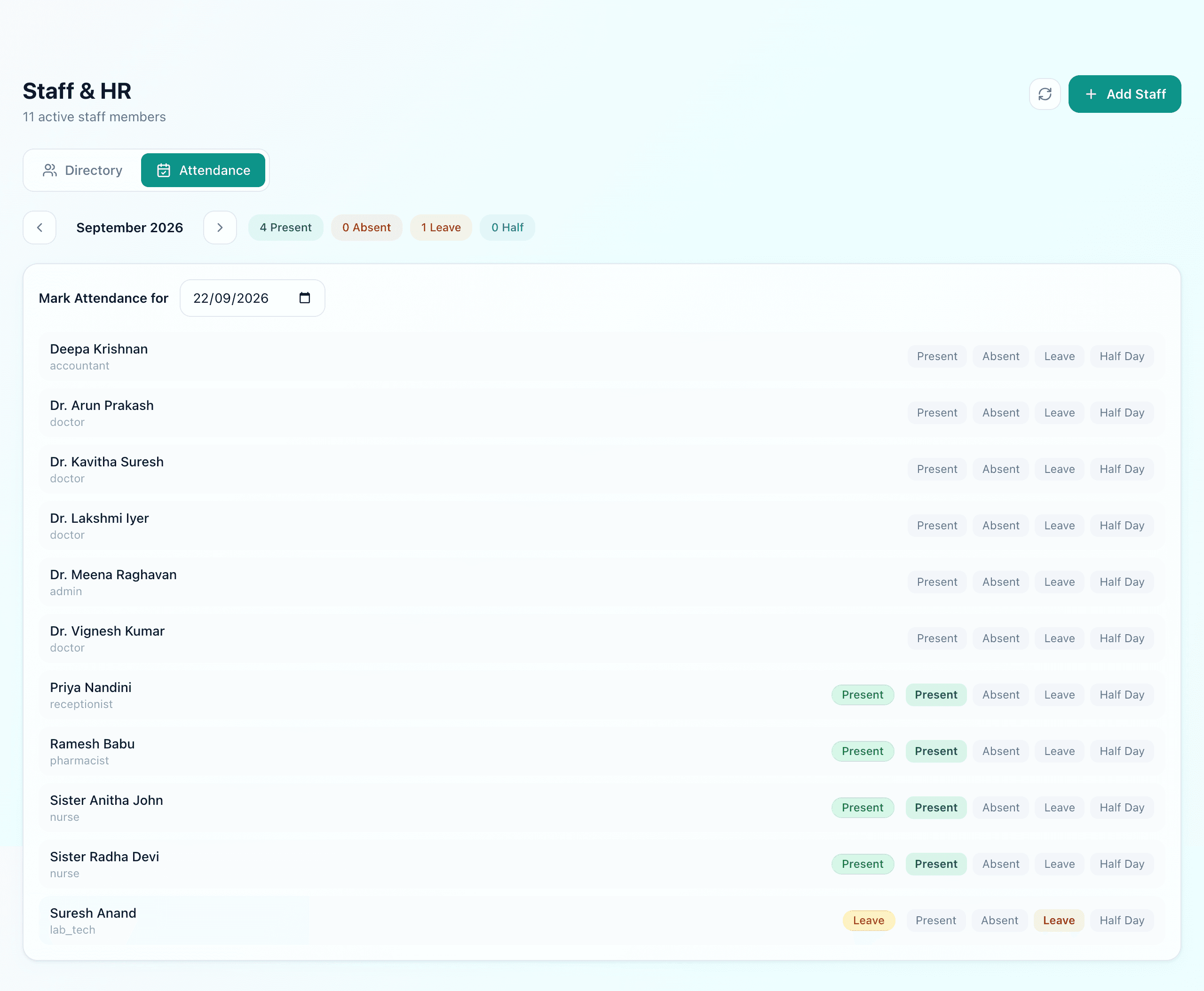
Attendance is marked per person per day as present, absent, leave or half day, with the check-in time captured for those who are in. The month header gives the tally, and the date picker means yesterday can be corrected without pretending it is still yesterday.
Attendance and the roster are separate records
That gap is worth knowing about because the ideal is real: the question “the 2pm nurse has not checked in — does anyone find out before a patient does?” is the one that separates attendance as a record from attendance as a safety net. Today Uyirly gives you the record. The safety net is the in-charge looking at the roster and the ward.
Leave lives with the roster, not with attendance
Leave is a request-and-approval record on the scheduling side rather than a note in the attendance log, and that placement is deliberate. Approved leave has to be something the roster respects — it makes the person unschedulable for those dates, in both the automatic and the manual routes — which a line in an attendance register can never do.
Where staff records reach the rest of the system
- Billing.The consultation fee on a doctor's record is what an OPD visit charges; the nursing charge per shift is what a nurse assignment adds to an inpatient's running bill.
- Rostering.Only active staff with the nurse role appear on the roster and in the nurse picker, so a leaver disappears from next week's grid the moment they are deactivated.
- The audit trail.Every record carries who created it. That is only meaningful because staff are people with accounts rather than a shared login at the desk — which remains the single most common way a hospital loses its ability to answer “who did this”.
What Uyirly does
- A staff directory where adding a person creates their login, filterable by role.
- Seven roles that decide what each person can see and do, plus a sees patients flag for consulting admins.
- Consultation fee per doctor and nursing charge per shift, read by billing.
- Designation, joining date, contact and emergency contact.
- Password reset, email change, credential resend, and deactivation that preserves the audit trail.
- Attendance marked present, absent, leave or half day, per person per day, with check-in time.
- Leave requested and approved on the scheduling side, where the roster enforces it.
Getting started
Staff and attendance are part of Uyirly's hospital management software. See the nurse duty roster guide for the planning side, or start a 30-day free trial with no credit card.